
It’s quick and easy to set up your own fundraising page to raise money for The Living Room. Whether you’re taking part in one of our challenges, participating in a mass event like the London Marathon, or setting up your own fundraising activity, this is the most effective way of letting your family, friends and colleagues know about your challenge and raising donations.
1. Set up your page
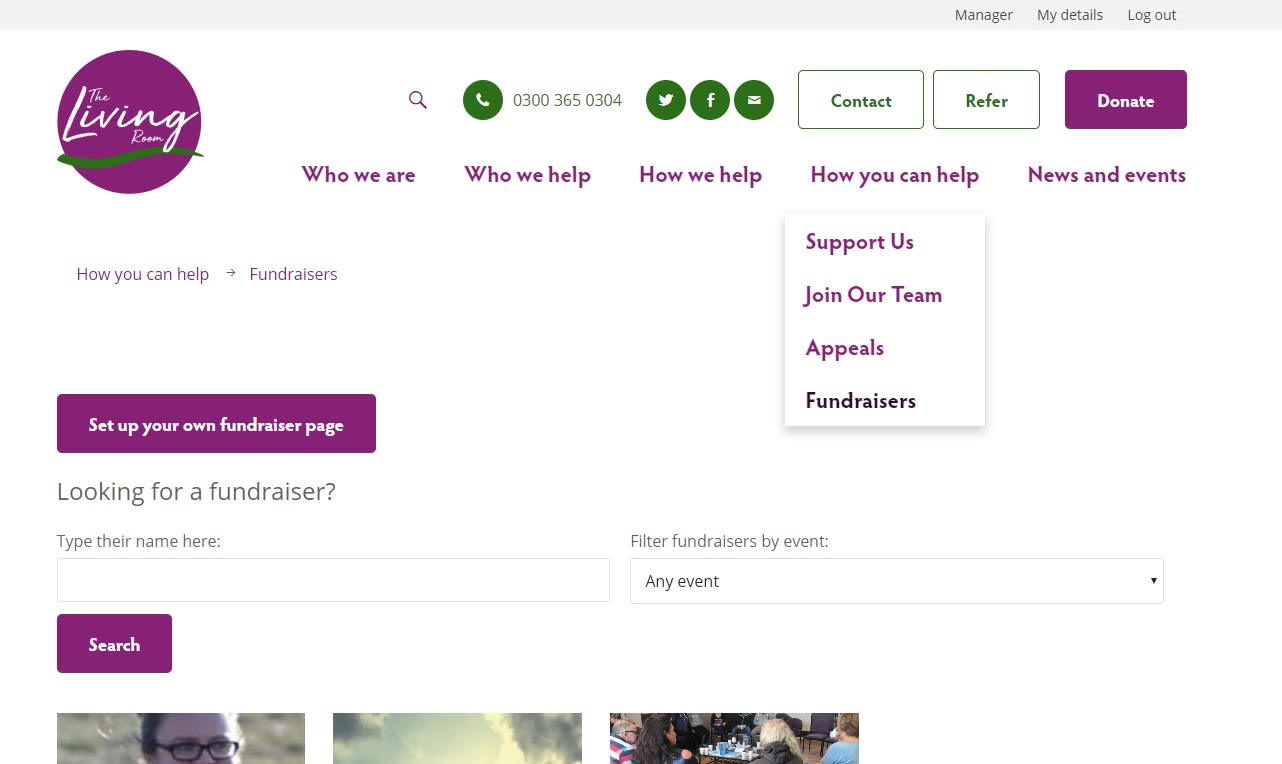
If you don’t have an account already you’ll be asked to register your details so you can log in. If you’re already registered you can go straight to creating your page.
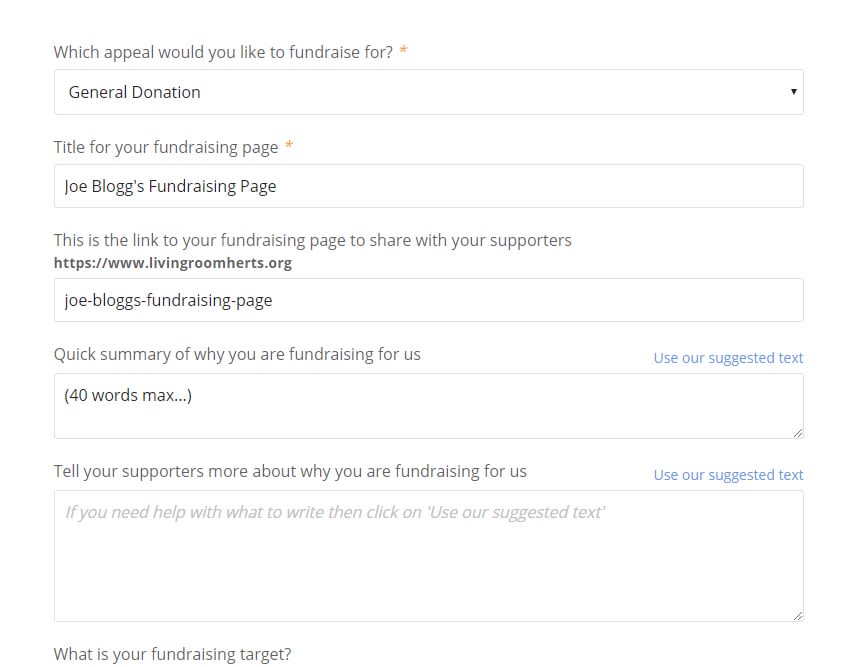
Add your personal details then a title for your fundraising page. This title can also be used to create the link for your page e.g. joe-bloggs-fundraising-page. Then create a short summary (40 words max) or ‘use our suggested text’ to tell people why you are fundraising. Remember to include why you think The Living Room is important and why it means so much to you.
Then set a target for how much you would like to raise. It can be as little or as much as you want. You can always change the target if need be.
If you are taking part in one of the challenge events, please make sure you select the event from the drop down menu.
Finally, you can add a photo of yourself or anything which relates to your goal.
2. Promote your fundraising page
The next thing to do is to make sure your friends, family and colleagues know about your fundraising.
You can share your page via email or social media. Do this by copying and pasting [FundraiserURL] into your message. It will be replaced with the right link to your fundraising page.
3. Edit your page
To make changes to your fundraising page simply make sure you are logged in and select the ‘My details‘ tab. On the right under ‘My fundraising‘ you will be able to edit your page.
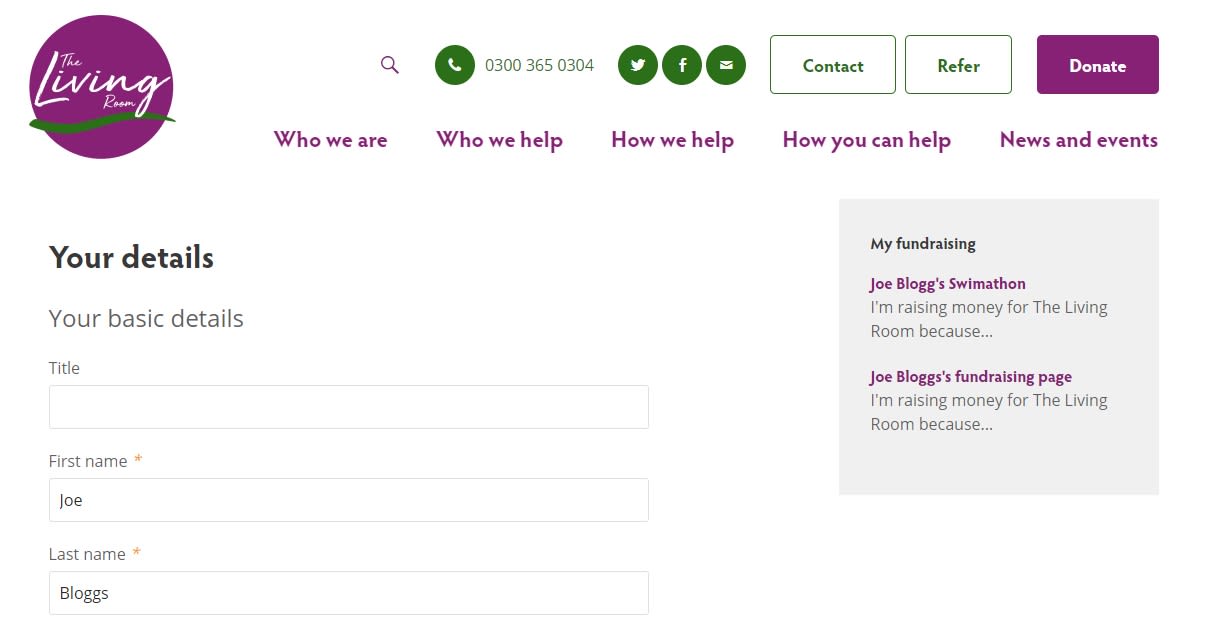
Here you’ll be able to edit your personal information and change the details of your fundraising event. You can also manage your fundraising target.
If you have any problems or questions, get in touch with our fundraising team on 01438 355 649.